


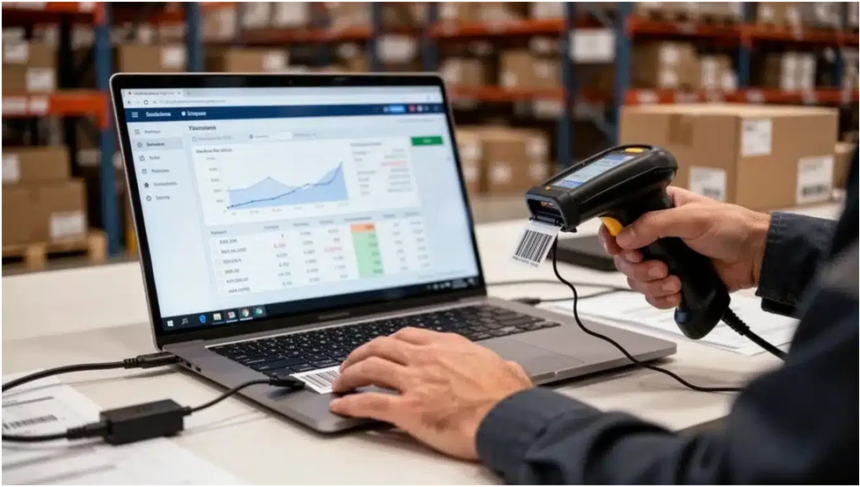
Inventory is one of the most important parts of a business and one of the easiest to lose control of. When stock records are inaccurate, employees spend time searching for items, customers receive disappointing availability updates, and managers make purchasing decisions based on incomplete information. Overstocking ties up cash, while stockouts can delay orders and damage trust. A clear inventory process helps prevent both problems.
The best solution is not always the platform with the longest feature list. Small and mid-sized businesses often need inventory software that is easy to learn, accessible from different devices, and flexible enough to match the way they already work. Inventory management software is designed around that need, providing a web-based system for tracking stock, receiving items, moving inventory, making adjustments, and producing useful reports.
Why accurate inventory records matter
A stock count is more than a number on a screen. It represents products that may have been purchased, stored, assembled, sold, returned, reserved, or transferred. If one of those movements is missed, the digital record can quickly stop matching the physical inventory.
Inaccurate records create problems throughout an operation. A salesperson may promise an item that is not actually available. A purchasing manager may reorder products that are already sitting in another location. A warehouse employee may spend time looking through several shelves because the system shows an incorrect bin or quantity. These small inefficiencies can add up to significant labor costs.
Reliable records also improve decision-making. Managers can identify products that move quickly, items that remain unused, and stock that may need a different purchasing or pricing strategy. With a clearer view of inventory, the business can respond to demand instead of guessing.
Start with a consistent item structure
Before adding advanced tools, create a consistent structure for the items being tracked. Each product should have a clear name, a useful description, and a unique identifier. If the same item appears under several spellings or abbreviations, reports become harder to interpret and employees may create duplicate records.
Decide how products will be grouped. Categories might be based on product type, department, supplier, size, material, or another characteristic that supports daily work. Avoid creating so many categories that employees cannot remember where an item belongs. The structure should make searching and reporting easier, not add another administrative burden.
More EV News

Locations should be labeled consistently as well. A business may have a main warehouse, retail floor, service vehicle, office, storage room, or customer-held stock. If locations are recorded differently by different employees, transfers become difficult to trace. A simple naming convention can make it clear where stock is physically located and who is responsible for it.
Record every inventory movement
Inventory accuracy depends on recording the events that change stock. Common movements include receiving a delivery, selling or issuing an item, transferring it to another location, returning it to a supplier, and adjusting a count after a physical check.
Receiving is especially important because it creates the starting point for a new stock balance. Compare the delivery with the purchase documentation, note shortages or damaged items, and record the accepted quantity promptly. Waiting several days increases the chance that products will be moved or used before the records are updated.
Outbound transactions deserve the same attention. Whether goods are sold, used for a service job, given to another department, or removed for another reason, the movement should be recorded in a consistent way. A transaction history makes it easier to understand why the current quantity looks different from the previous count.
A simple, transaction-based process can be easier to audit than a spreadsheet with manually overwritten totals. The question is not only “How many are we showing now?” but also “What happened to create this balance?”
Use transfers when stock changes location
Businesses often lose track of inventory when products move between locations. A box may leave a warehouse for a store, a technician may take parts in a vehicle, or materials may shift from a receiving area to a production space. If the move is not recorded, the total stock may appear correct while each location is wrong.
A transfer creates a record of the movement from one place to another. This makes it easier for an employee to find an item and for a manager to understand where available stock is held. It can also reduce unnecessary reordering because products in another location are visible before a new purchase is made.
When setting up transfers, define who can create them, who confirms receipt, and what happens when the quantity received is different from the quantity sent. Clear responsibility is more important than a complicated approval chain. The process should be quick enough that employees will actually use it during a busy day.
Make adjustments carefully
Physical counts will sometimes reveal missing, damaged, expired, or newly discovered items. An adjustment may be necessary, but it should not be used to hide a recurring process problem. If employees regularly adjust quantities because deliveries are not received correctly, the receiving workflow needs attention.
When an adjustment is made, record a reason. Useful reasons might include damaged stock, counting error, shrinkage, data correction, or an item created during production. Notes provide context for future reviews and can reveal patterns that are not visible in the total quantity.
Cycle counting is another practical approach. Instead of closing the business for one large annual count, count selected items on a rotating schedule. High-value or fast-moving products may be checked more often, while low-risk items can be reviewed less frequently. Regular smaller checks help detect errors before they spread across the operation.
Choose costing methods intentionally
Inventory cost reporting can affect how managers understand margins and the value of stock on hand. Common approaches include first in, first out, last in, first out, and average cost. Each method treats the relationship between purchase costs and inventory usage differently, especially when supplier prices change.
The appropriate method depends on the business, its accounting practices, the type of goods it holds, and applicable requirements. Inventory software should support reporting that is clear enough for managers and compatible with the organization’s financial process. It should not replace guidance from an accountant when costing decisions have tax or financial reporting consequences.
A system that supports multiple costing approaches can be useful when a business needs to evaluate different reporting views. Skyware Inventory lists FIFO, LIFO, and average inventory cost reporting among its features. The important point is to choose a method deliberately and apply it consistently rather than changing calculations whenever the result looks more favorable.
Give employees a process they can follow
Even good software will produce poor information if employees are not sure what to enter. Write short instructions for receiving, ticketing outbound inventory, transferring stock, and making adjustments. Include examples that reflect the business’s actual products and locations.
Training should focus on the actions employees perform most often. A warehouse worker may need to learn how to receive and move items, while a sales or service employee may mainly issue stock and check availability. Keep the process practical. Staff should understand why accurate entries matter, but they also need simple steps that fit into the pace of work.
Use permissions and user accounts where available. Individual access makes it easier to identify questions, correct errors, and limit sensitive actions. Multi-user access can support collaboration without requiring everyone to share one login. Review inactive users regularly and remove access that is no longer necessary.
Take inventory access beyond one computer
Cloud-based inventory software can be useful for organizations that do not work from one fixed desk. Managers may need to review stock from an office, employees may receive products from a warehouse, and service teams may need to check parts while away from the main location.
A web-based system can provide access from a desktop, laptop, tablet, or phone, depending on the platform and connection.skywareinventory.com describes its service as cloud-based and also offers mobile inventory access for Android. Mobile access does not remove the need for a reliable process, but it can reduce the delay between a physical movement and the corresponding record.
Consider the environment before choosing a mobile workflow. Warehouse staff may need a durable device, stable wireless coverage, and a method for keeping equipment clean. A phone camera may be useful for scanning in some situations, while a dedicated scanner may be better for high-volume operations. The goal is to make accurate recording easier, not to add equipment that employees avoid using.
Review reports on a regular schedule
Reports are most useful when they lead to a decision. Set a regular time to review stock levels, adjustments, transfers, inactive items, and products that are moving faster or slower than expected. A weekly review may suit a small retailer, while a larger operation may need daily exception reports and a monthly planning meeting.
Look for patterns rather than reacting to one unusual number. Repeated stockouts may indicate that reorder points are too low or supplier lead times have changed. Excess inventory may show that purchasing quantities are too large, demand has declined, or items are stored in the wrong location. Frequent adjustments may point to training gaps, receiving errors, damage, theft, or unclear ownership.
Keep reports understandable. A manager who cannot quickly tell what action is needed is unlikely to use the report consistently. Start with a small set of useful measures and expand only when the extra information supports a real business decision.
Avoid common inventory mistakes
One common mistake is relying on spreadsheets after the operation has outgrown them. Spreadsheets may work for a small, stable list, but manual editing becomes risky as product counts, locations, users, and transactions increase. Another mistake is purchasing a complicated system before defining the basic workflow. More features do not automatically create more accuracy.
Businesses also struggle when they count inventory but do not investigate differences. A count identifies a problem; it does not explain it. Use adjustments, transaction histories, receiving records, and employee feedback to find the cause.
Finally, do not treat inventory as a one-time setup project. Items change, suppliers change, locations change, and customer demand changes. Review the item list, categories, users, and reports as the business develops. A system remains useful when its structure reflects current operations.
Selecting a practical inventory system
When comparing software, consider the daily tasks first. Can employees add items, receive stock, issue products, transfer quantities, and correct errors without unnecessary steps? Can managers see what they need from different devices? Does the system support multiple users and useful cost reports? Can the business start at a reasonable price and expand as its needs grow?
Simplicity is a valuable feature. A platform that employees understand is more likely to be used consistently than one filled with options that do not apply to the business. Flexibility matters too, especially for organizations that track assets, supplies, products, materials, or stock across more than one location.
Security and reliability should be part of the evaluation. Ask how data is encrypted, backed up, and accessed. Review the provider’s terms, privacy information, user controls, and support options. A low subscription price is helpful, but the software also needs to protect records and remain available when the team needs it.
Better inventory control comes from consistent information, clear responsibilities, and regular review. Software can reduce repetitive work and make stock movements easier to see, but the process still depends on people recording transactions accurately. With a practical system and straightforward habits, a small or mid-sized business can reduce surprises, improve customer service, and make purchasing decisions with greater confidence.